Sunday, November 23

“The Happening”

1 comments

I had this wonderful review of "The Happening," but Word decided to go gay on me and I lost it all. So here I go, trying to make something almost as good.

I'm here today to tell you something of grave importance. It's important, but in the way that you see stuff on CNN that's "important." No, this is "important" in the way that you have to watch your favourite TV show every week is "important," or you have to do your homework is "important." Speaking of which, I know you didn't do your English essay yet. Seriously, stop procrastinating and go do it.

To the two and a half of you that are left, I'm here today to tell you about how utterly shitty the movie "The Happening" is. This is unquestionably the crappiest movie, ever made. If you saw it and liked it, go away. It's awful, end of story. I mean, I would rather eat three full barrels of live insects than subject myself to this movie again. I would rather jump off the CN Tower, and then drag my crippled body to my home and repeatedly bash my head with a meat cleaver than watch this movie again.

Stay with me, here I go trying to give you a rundown of the movie. Before I even touch on the story line, I'm going to talk to you about the actor in it. Mark Wahlberg is in it, and, like usual, he sucks. I mean, come on. "The Italian Job" sucked. "Four Brothers" sucked. "Shooter" super sucked. But "The Happening" is worse than all of those movies put together. Yes, "The Happening" super ultra mega sucked donkey balls. His lack of emotions is just hilarious.

Now for the story line. Don't leave, I promise it gets really, really good. And I'm fully serious. So we start off in New York City, with Mark Wahlberg playing some stupid science teacher in some stupid school. We cut to Central Park. It's like the middle of the day, when this strange wind starts blowing through the trees. Then, people stop. Like, they freeze and act like complete zombies. One guy finds this gun on the path (like nobody even saw the guy put it there?), takes it (remember he's acting like a zombie, meaning no emotions) and blows his brains out. Then another guy comes, steals the gun from his dead hands, and shoots himself. Half the people in Central Park end up killing themselves. I mean, how great is that.

The news are like "it's a terrorist attack, it's a terrorist attack" but of course Wahlberg has to be like "wait... it's not." He comes up with this bullshit theory that it's like the trees that are releasing some crap that's causing people to kill themselves. Yes, the trees are making us kill ourselves. I know it's hilarious, but it gets even better. Sure, nobody believes him, and they head on a train to New Jersey. Meanwhile, these "strange" incidents of people killing themselves increases all over the north-eastern states, and they're all getting "really, really scared."

Now's when the real joy comes to the viewer. Wahlberg decides out of the blue that the trees are killing groups of people. Like, what kind of bullshit is that? Yes, the trees know how many people you're standing with and they kill you if it's over like a certain number. They find this paranoid lady in like some Amish home who's like, really stupid. There's something about a subplot where Wahlberg has to save his family with his emotionless face, but it's nothing in comparison to the real danger: the homicidal trees. Not only will the trees kill you, but they'll kill your entire party.

This is how he saves the world: he stays inside the crazy lady's house until the trees decide that "okay, we killed enough people." And then he claims that he saved the world. Roll credits.

Epilogue: this shit happens again in a different country. Yay, Mexican Mark Wahlberg.

Apparently, trees will kill you if you travel in groups. Because groups piss them off.

Well, trees won't kill you, but they'll make you kill yourself.

But hey, Mark Wahlberg was in "The Departed," so you should totally go and watch "The Happening."

It's the worst movie ever. And if you watch it in high definition, you can see all the homicidal-leaf action. You can see their thoughts.

Sunday, November 16

An Update...

3 comments

I know I haven't updated this thing with a (real) post in quite some time, and I don't really want this blog to die, so...

Here's a video of Elmo killing himself. Sound up for full effect.


And another video of Elmo... ON FIRE...


Ok, that should keep this blog alive for like, another week.

Wednesday, November 12

The App Store – Part Three

1 comments

We've taken a look at how the iPhone will be able to act in the future, but until now we've neglected to take a look at what the iPhone is capable of doing now. This final instalment will look at the different applications that can be installed as of today on the iPhone and iPod touch, and how they will change the face of the iPhone forever.
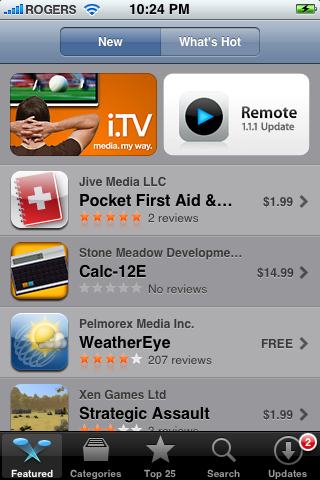
The iPhone App Store (above) and the iTunes App Store are two different ways of downloading applications and installing them on your iPhone. The iPhone App Store installs them automatically and backward syncs them to your computer, while the iTunes App Store syncs them from your computer to your iPhone. While both ways work, the iTunes App Store method is more preferable as it gives you greater control in adding, removing and managing applications (such as the ability to keep the file in the event you want to reinstall it).

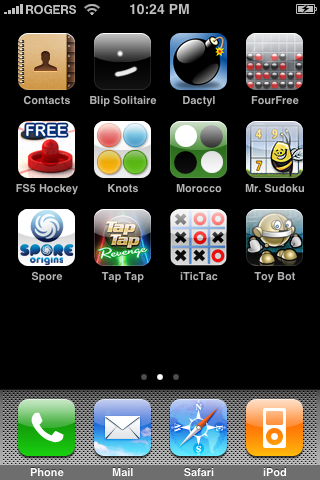
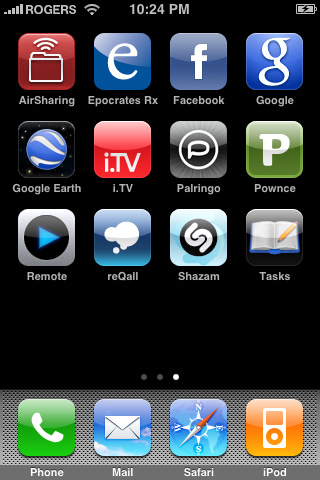
There are well over 3,500 apps on the App Store, so the decision of choosing the best ones to use on your iPhone or iPod touch can seem rather daunting. Fortunately, this is where this portion of my review comes into play: I'll be reviewing my favourite ten nine applications (I thought I had ten, couldn't find the tenth one): the applications that I have on my iPhone and use every day. From Facebook to Google, I'll give you my view on some of the best apps available. Most of these apps are a free download from iTunes, not because price takes precedence over quality. In other words, price was not taken into consideration while choosing these applications.

1. Remote (Apple Inc.)

Remote is a fully-functional, fully-wireless application that gives a glimpse of the future as to how wireless technologies will engulf our lives.
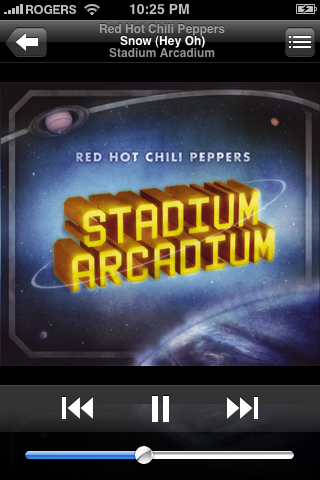
Remote is the first app that can wirelessly stream your iTunes music library to any computer or speakers in your house (computers automatically, but speakers only if they're connected with an AirPort Express). You can instantly turn on any speaker system and turn off another, or have them all run in unison, all with the tap of a finger and the slide of a switch.

The technology used in this application may one day be applied to other, more advanced programs which can really be in touch with your electronics such as TV, DVD player, and even coffee maker. Free.

2. Air Sharing

Air Sharing is another simple application that wirelessly connects to any computer in your house, allowing you to mount your iPhone as a wireless drive and drag-and-drop files between your computer and iPhone. This allows you to use your iPhone as a (wireless) USB key, giving you access to some much-wanted functionality.
With a simple file browser and easy connection guide, this app connects to your computer either through your Internet connection or through Apple's Bonjour, the same technology used when sharing hard drives with Apple's AirPort Extreme.
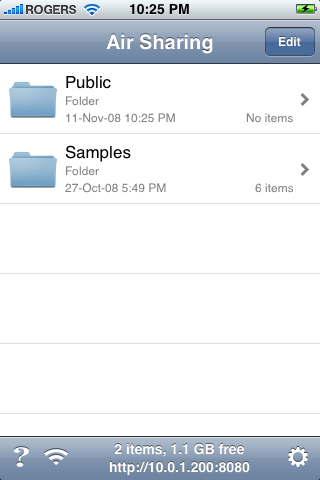
The thing that really amazes me is Air Sharing's capability of rendering the files you put on the iPhone. Viewing files such as PDF, HTML, RTF, Source Code and even DOCX, this application gives you the ultimate control over your documents. Also allowing you to pinch-to-zoom, this application proves most beneficial when it comes to having index cards for presentations. By simply typing and transferring your index cards to your iPhone, you can use your device as a presentation aid without ever tethering it to your computer. $6.99, but worth every penny.

3. Facebook

This app makes it easy to stay connected and share information with friends, all with the tap of a finger. You can start a conversation with that Facebook chat thing (that nobody uses), look up photos (with full pinch-to-zoom capabilities), or even upload your own photos taken by your iPhone's camera.
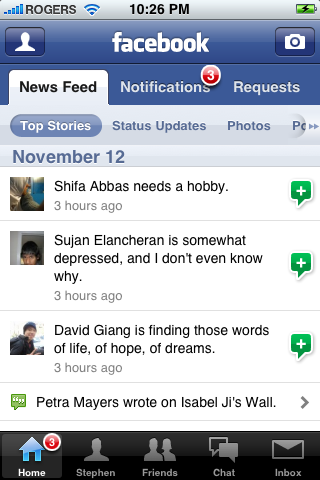
While the initial versions of this application may have seemed rather bleak (with little to no support on the majority of features that we use every day), it has morphed into a well-developed application with much promise. The newest version (2.0 as of this writing) allows you to update notifications, view your full news feed, search people, accept/deny friend requests, tag photos and add captions, search your inbox, view attachments, and much more.

Although this app does not offer third-party support at the time, it is still the best (and most official) app if you plan on using Facebook on-the-go. Free.

4. Google Earth (Google

Google's own Location-Aware, iPhone version of their signature Google Earth desktop program is now available, and is definitely one of the must-have apps for all iPhone and iPod touch users. Google Earth allows you to navigate around the world with just the swipe of a finger and a pinch of two.
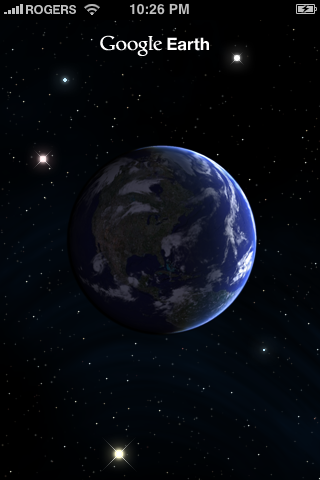
Google Earth takes advantage of iPhone's built-in accelerometer by automatically adjusting tilt whenever you raise or lower your iPhone. Look at the world at eye-level or at bird's eye view, and easily switch between the two. And with a simple tap of the "Find Me" crosshair, you can easily pinpoint your location (and have it follow along with you if you have an iPhone 3G). Free.

5. i.TV

Have you ever had one of those days where you want to watch TV, but can't find a program that's even remotely interesting? Sure you could keep pressing that "Page Down" button on our remote, but with i.TV the solution is much more pleasant. You enter your postal code, pick your TV service provider, and i.TV automatically downloads a list of all the shows playing at every time slot for a week's time.

By tapping on any episode, you are given a short description (spoiler-free, of course), as well as reviews for the episode (automatically updating if it is still playing) and the show. An example of this functionality is pictured below.
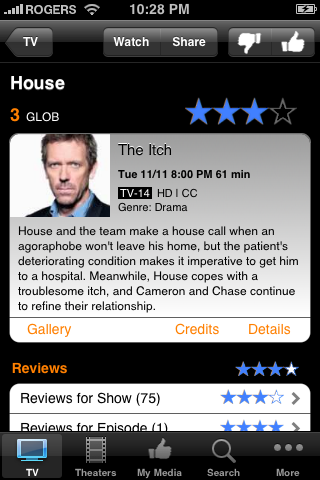
As you can see from the buttons below the content, however, i.TV is not limited to TV shows. By entering your postal code, you are also given access to the show times of movies playing at all theatres around you. You are also given the ability to "star" certain channels or theatres, so that they appear at the top of your results. Free.

6. iProcrastinate Mobile

This is probably my most-used app on my iPhone. iProcrastinate is basically an electronic school agenda. After adding all the courses found in your timetable and colour-coding them, you are able to add individual assignments and set due dates, add comments and divide up the assignment into portions and check off each portion as you complete it. And iProcrastinate automatically alerts you in advance, before the assignment is due.
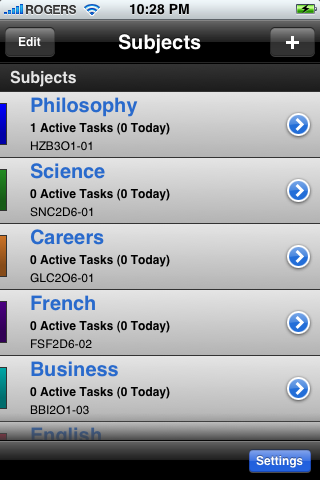
iProcrastinate is a great app, but there are still a few quirks that have to be tweaked out. As of this writing, for example, an issue arises with the notification system; the application is supposed to add a badge to its springboard icon to alert you of how many assignments you must do, but right now the number is... unreliable. Minor issues, that I'm sure will be fixed with the app's next release. Free.

7. ReQall

Have you ever had one of those moments where you swore you had something else to do or something else to buy, but just can't remember what it was? Thankfully, ReQall comes to the rescue. Just call your message in to ReQall, and the magic geniuses there will change your words into text, and then automatically sort it into the right category on your iPhone – be it shopping, a list, or just a random note.

And if you can't (or don't want to, stranger things have happened) speak clearly enough so that your voice can be recognizable, you can always type your notes in (similar to the Notes functionality of the iPhone and newer (post-1.1.3) iPod touches). Keep in mind that ReQall will still automatically organize your notes.
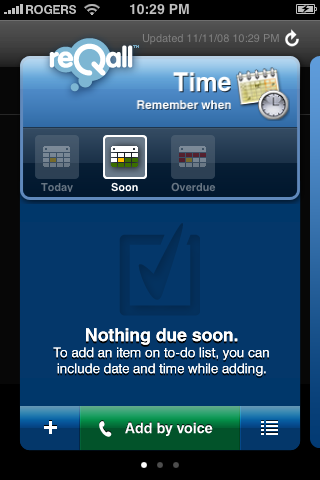
Depending on whether you have an iPhone or an iPod touch, you will have a different version of ReQall (the iPod touch version does not have the "Call" button seen above). If you are using an iPod touch, you are given a super special, secret phone number which you can call on your cell or landline phone to get the same functionality as if you had an iPhone.

Overall, I'd have to say that the voice comprehension software that ReQall uses is fairly accurate. I've had a few instances where ReQall thought I said something that sounds very similar to what I said when I called in, but these instances were few and far between. Overall, I'd have to say that ReQall is by far the best program to have if you find yourself forgetting to get a certain game or go "work" on a project and somebody's house. Free.

8. Google Mobile App (Google)

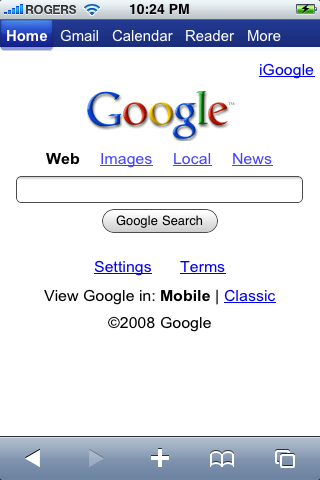
This is the second Location-Aware Google app that I recommend getting for your iPhone and iPod touch. While at first this app may seem to give you a simple Google search (below), the more you use it the more functionality you uncover. In the end, this app proves to be one of the most beneficial to you if you are lost somewhere and want to get some ice cream at a Dairy Queen.
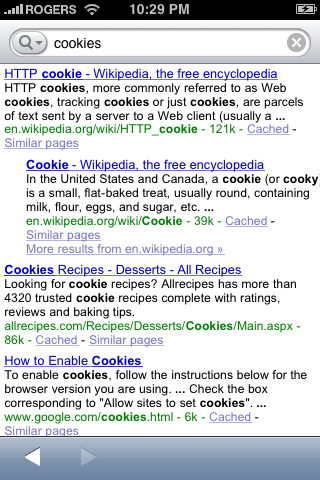
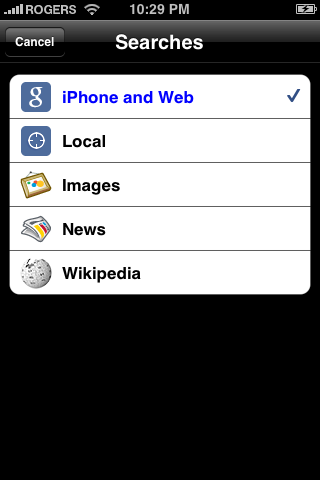
A simple tap of the magnifying glass next to the search box reveals all the functionality available to you in this simple program, pictured below.
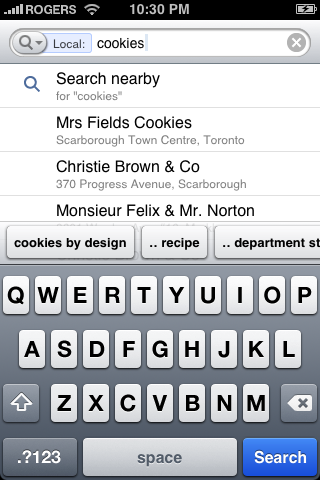
This is a Location-Aware app, meaning that it knows where you are on the planet. Using this information, it can search databases to provide you with the quickest way to find whatever it is you're looking for. Want to eat at a Subway? Just type it in, hit "Local" and you're given a list of all the nearest Subways from where you are. Take the following local search for "cookies" as an example:
But you're not only limited to local searches: you can also search images, news, and Wikipedia for whatever it is you're looking for. So this one app saves you the time and energy (and data) needed to go to four websites and Google Maps (the most data-centric program on the iPhone): google.com, images.google.com, news.google.com, and Wikipedia.org, not to mention maps.google.com. Free.

NOTE: One issue with this program: as of this writing, this app is not available in Canada. It is however free for the USA, so if you or someone you know has access to an American iTunes account you can easily download this application, no questions asked.

9. Shazam

Last but not least we have Shazam. Shazam! This is the app for you if you have a song stuck in your head and don't know what it's called. Shazam uses the iPhone's built-in microphone to listen to a song being played, then searches iTunes' database to find a matching song. Once it finds a match, it gives you the song title, artist and album names, as well as links to the iTunes Wi-Fi Music Store (pfft...) and Youtube in case you want to listen to it or watch the song's music video.
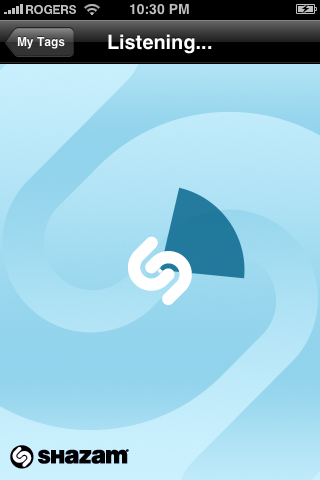
Since Shazam requires a microphone to be used, it is only compatible with the iPhone for now. However, any accessory to the second-generation iPod touch (announced this September) with an inline microphone will be able to provide Shazam's functionality to the iPod lineup. Unfortunately, Shazam will never be brought to the first-generation iPod touch due to its lack of a microphone jack.
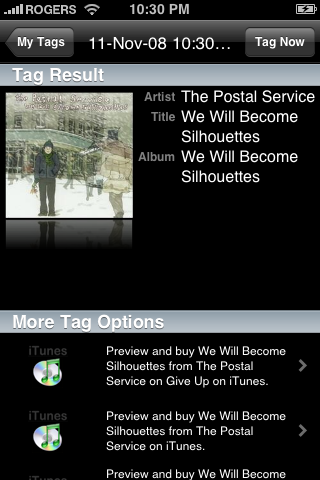
I love the functionality of this app. While other phone manufacturers have tried to duplicate this functionality on their cell phones (Sony attempted this with their W580i), Shazam still proves to be the most effective, as it actively searches iTunes' database of over 4 million songs for matches. Great if you got that one song endlessly playing at the back of your head, but you can't understand (or remember) the lyrics so that you could search it up on Google. Shazam! Free.

So there you have it: my complete review of the iPhone, iPod touch and their respective firmware updates. And now you can see how I think that the iPhone will play a major part in shaping the world to come.

Tuesday, November 11

iPhone 2.0 FW Update – Part Two

0 comments

With the release of Apple's iPhone 3G and 2.0 Firmware Update on July 11th, 2008, the iPhone finally became user-expandable, something that's much sought-after in mobile phones. Take the standard Sony Ericsson phone (let's use the W580i slider) – it's a simple phone with a simple interface. Used to pretty much make phone calls and take the short video when you can't find a camera, this phone satisfies the needs of about a third of the population that use cellular phones. But what do the rest of the people who use phones want? The power to do what they want, when they want to. The ability to develop programs for their own use. The ability to expand their phone into something more through the Internet.

The iPhone leaped through these barriers by including a full version of Safari on the phone. With it, you can access full web pages, not minimalistic versions designed for mobile devices. With iPhone's 3.5" multi-touch screen, zooming into text is as easy as a double tap on any small section of text. Get to something you can't see like a picture? Just pinch outwards to expand the picture, pinch back inwards to shrink it. Scroll up and down with a literal flick of your finger. It's just that easy.

With Apple's SDK, users can code their own applications for download onto their iPhone. Just look at all the possibilities:

All of these applications have been developed with Apple's own SDK, and they all perform tasks that would have normally not been available on the original iPhone. As of today, there are over 3,500 officially available applications for use on all iPhones and iPod touches with the 2.0 Software Update.

Now is where we get to the core of this article, and the reason I wrote it to begin with: the iPhone and iPod touch are two very versatile, technologically-advanced products in relation to the time we live in now. The very ability to have a full version of the Internet in your pocket is enough to astound anybody, but the ways that we can manipulate this connectivity by creating small applications is, simply put, mind blowing. Think about it... what if we program our iPhones to be "in tune" with our house? Hypothetically, isn't it possible to connect all of our electronics together, and have the iPhone at the heart controlling everything with its fully-capable screen?

Let's say you want to watch a movie... simply pull out your iPhone and open your "TV" app. One tap to turn on your TV and DVD/Blu-ray Player, another to load the disk from the drive. Too loud? Just slide the volume down with the swipe of a finger. Want to skip a part? Just drag along the touch screen until you get to where you want to be. Now just dim the lights in your "Lights" app with another swipe of a finger, and you're all set. Your iPhone has made it possible for you to enjoy a movie, all without you having to even get up.

Of course this is all hypothetical... for now. While all these different applications may seem impossible to create, companies such as Apple are already on their way to achieving this dream of iPhone bliss. For example, Apple's "Remote" app (below) automatically connects with your iTunes library and allows you to wirelessly play music to any computer or speaker system connected with an Airport Express, all through the power of wireless networks and a develop-able operating system such as the version of OS X that iPhone runs natively.


Keep in mind that Apple has set restrictions to developers... for example, no application can access the core services of the iPhone, all applications must terminate upon the closing of the application... limitations that you would expect in order to maintain the safety and security that Apple imposes upon all their products. Unless, of course, you "Jailbreak" the iPhone – that is, remove these limitations and others set by Apple. While this does grant you full access to the iPhone as a whole, it does certain... unwanted things, such as breaking your warranty, rendering your phone useless should an unwanted application or process do something, well, unwanted.

It is worth mentioning at this point that the iPod touch does not suffer from this accidental bricking, as it does not have to be activated to be used. The iPhone must be activated with a carrier, and a complete restore of the firmware will erase this activation rendering the phone unusable.

We've only taken a short glimpse of what the iPhone and iPod touch are capable of doing with their wireless Internet capabilities and full developer-SDK. I'm positive that the day will come where the iPhone will be able to start your coffee maker in the morning, warm the tap water to the perfect temperature and access your thermostat... while this day may not be tomorrow or the day after, the iPhone's time will come. But until then, we should make do with the already-amazing developmental powers the iPhone possesses. And we can do this with the App Store.


Coming up next: The App Store

Monday, November 10

The Ultimate iPhone & iPod touch Review – Part One

0 comments

This will be the first of a three-part series focusing on the iPhone (and the iPod touch) and their place in today's ever-changing world.

Let's go back almost two years to Macworld 2007, more specifically the keynote speech where Steve Jobs released Apple's much-anticipated iPhone. Yes, that's right: the first-generation, quad-band GSM with EDGE phone/iPod/internet communicator hybrid. Back when the iPhone was first announced, there was no Wi-Fi music store, A-GPS, YouTube (until the weeks before its release), and the phone didn't even have a non-recessed headphone jack. This, added to its $500 price point (for new customers) would surely be enough to turn down the average user. After all, it's just a phone for God's sake! But people praised Apple, for the iPhone was (and still is) a revolutionary mobile phone that will change the industry forever.

For those of you who have been living under a rock for the past, oh I don't know, millennium, the iPhone is Apple's foray into the cellular phone market. I know what you're thinking... "But doesn't Apple focus on computers and iPods? Surely, the iPhone must be crappy because it's not their primary product; it's no computer." Surprisingly, the first-generation iPhone was an amazing product, and it did not disappoint: it taught the world that multi-touch is the future, and that so-called "smart" phones can definitely be developed upon. Featuring a gigantic 3.5" display, the iPhone told the world, "Hey, I'm the best phone ever."

Sure, the iPhone had its flaws too: most notably its high price point, confusion with regards to how people would enter data by using the on-screen keyboard, and c'mon, they put a 2.0 megapixel photo-only camera in it? Seriously, that's way crappier than I would have expected. But the biggest thing that the original iPhone (and the 2007 iPod touch) lacked was a Software Development Kit (SDK) so that developers can create and market their own applications for the iPhone.

Other mobile platforms (such as Windows Mobile) already have excellent, improved-upon SDKs, but the "smart" iPhone was left in the dark ages. At the Worldwide Developers Conference (WWDC) in June 2008, Apple acknowledged their lack of an SDK and opened up the floor for developers to create web-based applications through the built in Safari app on the iPhone. Sure, I guess that one could create minimalistic Web 2.0 apps with this, but what about the real good stuff? What about games that can be accessed on the iPod touch without the need for a Wi-Fi network to be in range? What about social networking – can one access Facebook any easier without an SDK?

Apple heard developers' pleas and, in March 2008, announced plans for iPhone's 2.0 Firmware which included an SDK and a built-in "App Store" for downloading and purchasing these apps. Finally, developers could create simple and complex applications for use on the iPhone and the iPod touch, and have access to iPhone's wide range of capabilities. Games like Super Monkey Ball, Location-Aware apps like Google Earth, and Social Networking apps like Facebook and MySpace began springing up, most of which were free of charge to download and install. And with the addition of the iPhone 3G, capable of reaching 3G speeds and with on-board A-GPS, the iPhone was finally "smart."

Coming up next: iPhone 2.0 FW Update

Sunday, November 9

Clickety-Click

1 comments

Hi,
It's almost a new school week (yawn). Fun, fun, fuuun.
But while you're here, can you do something for me? ;D

Using your handy, dandy mouse pointer thing-a-ma-bobber, click-a-ma-jiggy the ads above. Yeah, but (strangely enough) they pay me if you do :)

Pleeease? :)

Thursday, November 6

"The Rural Juror"

0 comments

Normally I don't like posting videos because they are both a) uncreative and b) boring after the first time you watch them (most of them, albeit there are some exceptions).
But once in a while I come across a hilarious video. I mean "hilarious" in that you can watch it several times (as in more than once) and still find it funny.
Such is the case with this 30 Rock scene that I found of SNL's Rachel Dratch portraying Barbara Walters on The View.

In this scene, Jane Krakowski's character Jenna is being interviewed by Barbara Walters about her upcoming movie, "The Rural Juror." The movie's title is so difficult to pronounce correctly (try saying it a few times) that the main characters struggle to say it until they finally see it written on the screenplay. When this incomprehensible title is combined with Barbara Walters' already-incomprehensible coherency, this scene is the result.

Hopefully I won't post another video for a while, heh.

Update: I've added another video (I lied) below the first to show what I mean when I say that everybody on the cast struggles with the name of the movie.


Tuesday, November 4

SNL Mocks Sarah Palin (Tina Fey)

0 comments

Hilarious. Good stuff starts about 3ish minutes in. (With the whole "Alaskans wake up and look over at the Russians to see what they're doing" stuff)

Update: I hate it when stupid American corporations like NBC decide to block content to Canada. If I find this somewhere else, I'll change the code. Sorry!

Update #2: I've found a link to a Hulu video of the interview. I'm not sure how to embed this directly into the blog, but for now you can access it by clicking here: http://www.hulu.com/watch/36863/saturday-night-live-couric--palin-open?c=0

Update #3: Okay, Hulu isn't allowing Canadians either. Yay. I'll keep looking, hopefully one will come up soon.

Sunday, November 2

LOL House

2 comments

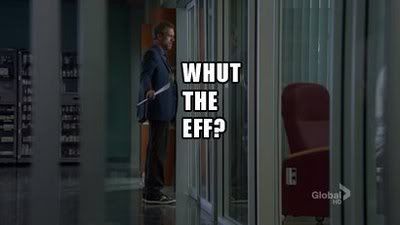
Found this blog somewhere on the Internet... basically, after every new episode of House they upload a crapload of screenshots with added captions à la Lolcats. Very funny.

Here's one from 5x5 "Lucky Thirteen"