We've taken a look at how the iPhone will be able to act in the future, but until now we've neglected to take a look at what the iPhone is capable of doing now. This final instalment will look at the different applications that can be installed as of today on the iPhone and iPod touch, and how they will change the face of the iPhone forever.
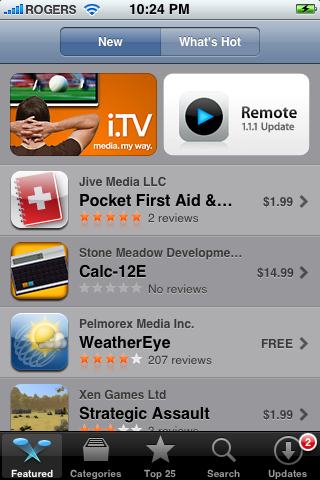
The iPhone App Store (above) and the iTunes App Store are two different ways of downloading applications and installing them on your iPhone. The iPhone App Store installs them automatically and backward syncs them to your computer, while the iTunes App Store syncs them from your computer to your iPhone. While both ways work, the iTunes App Store method is more preferable as it gives you greater control in adding, removing and managing applications (such as the ability to keep the file in the event you want to reinstall it).
There are well over 3,500 apps on the App Store, so the decision of choosing the best ones to use on your iPhone or iPod touch can seem rather daunting. Fortunately, this is where this portion of my review comes into play: I'll be reviewing my favourite ten nine applications (I thought I had ten, couldn't find the tenth one): the applications that I have on my iPhone and use every day. From Facebook to Google, I'll give you my view on some of the best apps available. Most of these apps are a free download from iTunes, not because price takes precedence over quality. In other words, price was not taken into consideration while choosing these applications.
Remote is a fully-functional, fully-wireless application that gives a glimpse of the future as to how wireless technologies will engulf our lives.
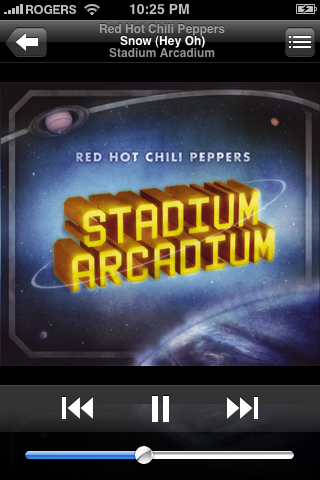
Remote is the first app that can wirelessly stream your iTunes music library to any computer or speakers in your house (computers automatically, but speakers only if they're connected with an AirPort Express). You can instantly turn on any speaker system and turn off another, or have them all run in unison, all with the tap of a finger and the slide of a switch.
The technology used in this application may one day be applied to other, more advanced programs which can really be in touch with your electronics such as TV, DVD player, and even coffee maker. Free.
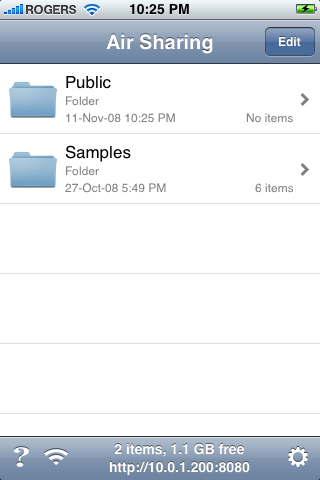
Air Sharing is another simple application that wirelessly connects to any computer in your house, allowing you to mount your iPhone as a wireless drive and drag-and-drop files between your computer and iPhone. This allows you to use your iPhone as a (wireless) USB key, giving you access to some much-wanted functionality.
With a simple file browser and easy connection guide, this app connects to your computer either through your Internet connection or through Apple's Bonjour, the same technology used when sharing hard drives with Apple's AirPort Extreme.
The thing that really amazes me is Air Sharing's capability of rendering the files you put on the iPhone. Viewing files such as PDF, HTML, RTF, Source Code and even DOCX, this application gives you the ultimate control over your documents. Also allowing you to pinch-to-zoom, this application proves most beneficial when it comes to having index cards for presentations. By simply typing and transferring your index cards to your iPhone, you can use your device as a presentation aid without ever tethering it to your computer. $6.99, but worth every penny.
This app makes it easy to stay connected and share information with friends, all with the tap of a finger. You can start a conversation with that Facebook chat thing (that nobody uses), look up photos (with full pinch-to-zoom capabilities), or even upload your own photos taken by your iPhone's camera.
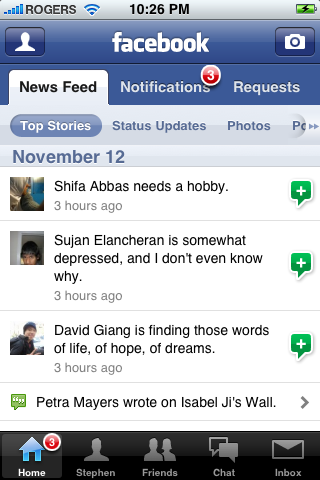
While the initial versions of this application may have seemed rather bleak (with little to no support on the majority of features that we use every day), it has morphed into a well-developed application with much promise. The newest version (2.0 as of this writing) allows you to update notifications, view your full news feed, search people, accept/deny friend requests, tag photos and add captions, search your inbox, view attachments, and much more.
Although this app does not offer third-party support at the time, it is still the best (and most official) app if you plan on using Facebook on-the-go. Free.
Google's own Location-Aware, iPhone version of their signature Google Earth desktop program is now available, and is definitely one of the must-have apps for all iPhone and iPod touch users. Google Earth allows you to navigate around the world with just the swipe of a finger and a pinch of two.
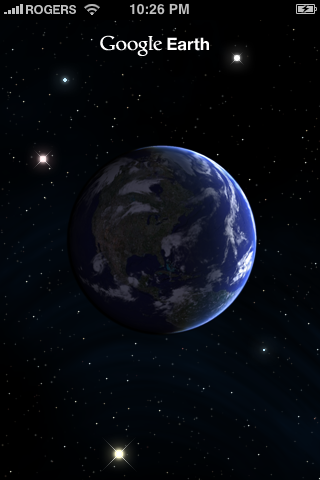
Google Earth takes advantage of iPhone's built-in accelerometer by automatically adjusting tilt whenever you raise or lower your iPhone. Look at the world at eye-level or at bird's eye view, and easily switch between the two. And with a simple tap of the "Find Me" crosshair, you can easily pinpoint your location (and have it follow along with you if you have an iPhone 3G). Free.
Have you ever had one of those days where you want to watch TV, but can't find a program that's even remotely interesting? Sure you could keep pressing that "Page Down" button on our remote, but with i.TV the solution is much more pleasant. You enter your postal code, pick your TV service provider, and i.TV automatically downloads a list of all the shows playing at every time slot for a week's time.
By tapping on any episode, you are given a short description (spoiler-free, of course), as well as reviews for the episode (automatically updating if it is still playing) and the show. An example of this functionality is pictured below.
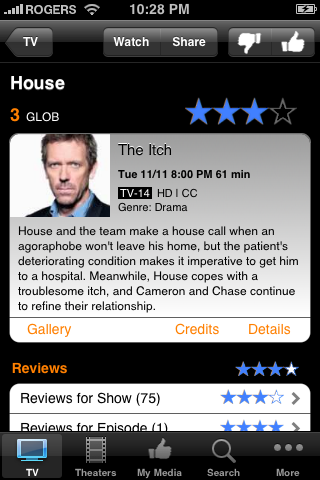
As you can see from the buttons below the content, however, i.TV is not limited to TV shows. By entering your postal code, you are also given access to the show times of movies playing at all theatres around you. You are also given the ability to "star" certain channels or theatres, so that they appear at the top of your results. Free.
This is probably my most-used app on my iPhone. iProcrastinate is basically an electronic school agenda. After adding all the courses found in your timetable and colour-coding them, you are able to add individual assignments and set due dates, add comments and divide up the assignment into portions and check off each portion as you complete it. And iProcrastinate automatically alerts you in advance, before the assignment is due.
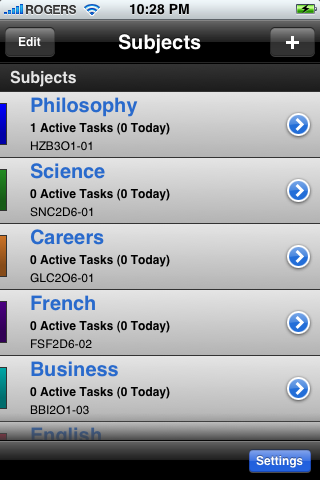
iProcrastinate is a great app, but there are still a few quirks that have to be tweaked out. As of this writing, for example, an issue arises with the notification system; the application is supposed to add a badge to its springboard icon to alert you of how many assignments you must do, but right now the number is... unreliable. Minor issues, that I'm sure will be fixed with the app's next release. Free.
Have you ever had one of those moments where you swore you had something else to do or something else to buy, but just can't remember what it was? Thankfully, ReQall comes to the rescue. Just call your message in to ReQall, and the magic geniuses there will change your words into text, and then automatically sort it into the right category on your iPhone – be it shopping, a list, or just a random note.
And if you can't (or don't want to, stranger things have happened) speak clearly enough so that your voice can be recognizable, you can always type your notes in (similar to the Notes functionality of the iPhone and newer (post-1.1.3) iPod touches). Keep in mind that ReQall will still automatically organize your notes.
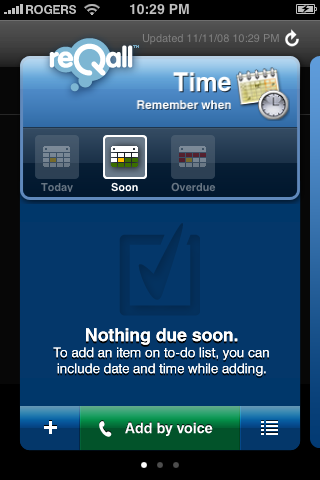
Depending on whether you have an iPhone or an iPod touch, you will have a different version of ReQall (the iPod touch version does not have the "Call" button seen above). If you are using an iPod touch, you are given a super special, secret phone number which you can call on your cell or landline phone to get the same functionality as if you had an iPhone.
Overall, I'd have to say that the voice comprehension software that ReQall uses is fairly accurate. I've had a few instances where ReQall thought I said something that sounds very similar to what I said when I called in, but these instances were few and far between. Overall, I'd have to say that ReQall is by far the best program to have if you find yourself forgetting to get a certain game or go "work" on a project and somebody's house. Free.
This is the second Location-Aware Google app that I recommend getting for your iPhone and iPod touch. While at first this app may seem to give you a simple Google search (below), the more you use it the more functionality you uncover. In the end, this app proves to be one of the most beneficial to you if you are lost somewhere and want to get some ice cream at a Dairy Queen.
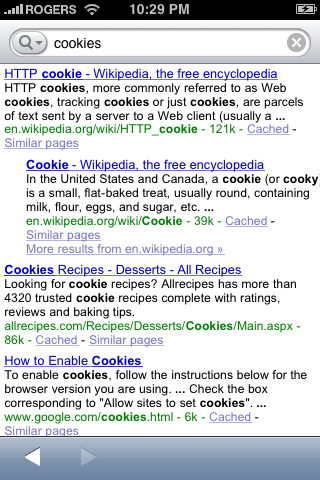
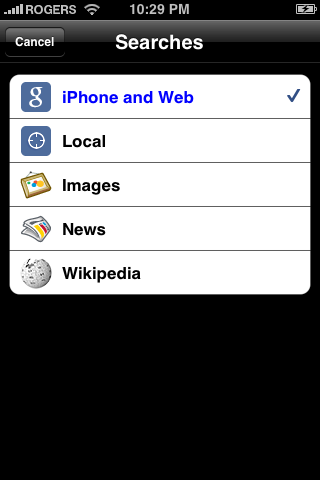
A simple tap of the magnifying glass next to the search box reveals all the functionality available to you in this simple program, pictured below.
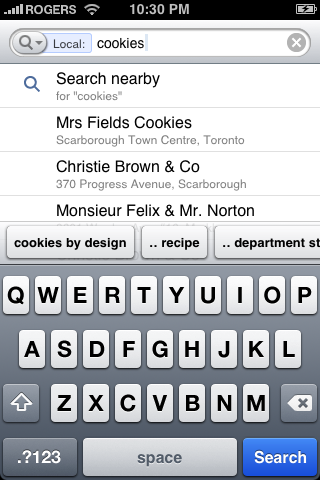
This is a Location-Aware app, meaning that it knows where you are on the planet. Using this information, it can search databases to provide you with the quickest way to find whatever it is you're looking for. Want to eat at a Subway? Just type it in, hit "Local" and you're given a list of all the nearest Subways from where you are. Take the following local search for "cookies" as an example:
But you're not only limited to local searches: you can also search images, news, and Wikipedia for whatever it is you're looking for. So this one app saves you the time and energy (and data) needed to go to four websites and Google Maps (the most data-centric program on the iPhone): google.com, images.google.com, news.google.com, and Wikipedia.org, not to mention maps.google.com. Free.
NOTE: One issue with this program: as of this writing, this app is not available in Canada. It is however free for the USA, so if you or someone you know has access to an American iTunes account you can easily download this application, no questions asked.
Last but not least we have Shazam. Shazam! This is the app for you if you have a song stuck in your head and don't know what it's called. Shazam uses the iPhone's built-in microphone to listen to a song being played, then searches iTunes' database to find a matching song. Once it finds a match, it gives you the song title, artist and album names, as well as links to the iTunes Wi-Fi Music Store (pfft...) and Youtube in case you want to listen to it or watch the song's music video.
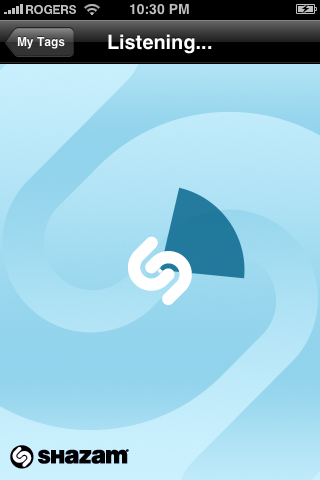
Since Shazam requires a microphone to be used, it is only compatible with the iPhone for now. However, any accessory to the second-generation iPod touch (announced this September) with an inline microphone will be able to provide Shazam's functionality to the iPod lineup. Unfortunately, Shazam will never be brought to the first-generation iPod touch due to its lack of a microphone jack.
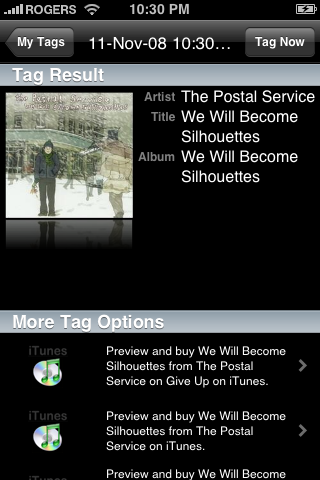
I love the functionality of this app. While other phone manufacturers have tried to duplicate this functionality on their cell phones (Sony attempted this with their W580i), Shazam still proves to be the most effective, as it actively searches iTunes' database of over 4 million songs for matches. Great if you got that one song endlessly playing at the back of your head, but you can't understand (or remember) the lyrics so that you could search it up on Google. Shazam! Free.
So there you have it: my complete review of the iPhone, iPod touch and their respective firmware updates. And now you can see how I think that the iPhone will play a major part in shaping the world to come.


 Posts
Posts


1 comments:
I cried near the end. I want an iPhone. D;
SHAZAM SOUNDS LIKE SOMETHING I REALLY REALLY REALLY NEEDDDDDDDDD D;
Post a Comment